PUBG MOBILE FLASH is the upcoming lightweight version of the PUBG MOBILE experience, created for players who want the familiar battle royal gameplay with a smaller starting installation. Instead of requiring every map and resource immediately, FLASH lets players begin with essential content and expand the game as needed.
The project was previously promoted as PUBG MOBILE LIGHT. The official PUBG MOBILE website now presents it as PUBG MOBILE FLASH, with the launch planned for November 2026. Pre-registration is available through the official app-store channels, and rewards are scheduled for players who pre-register before launch.
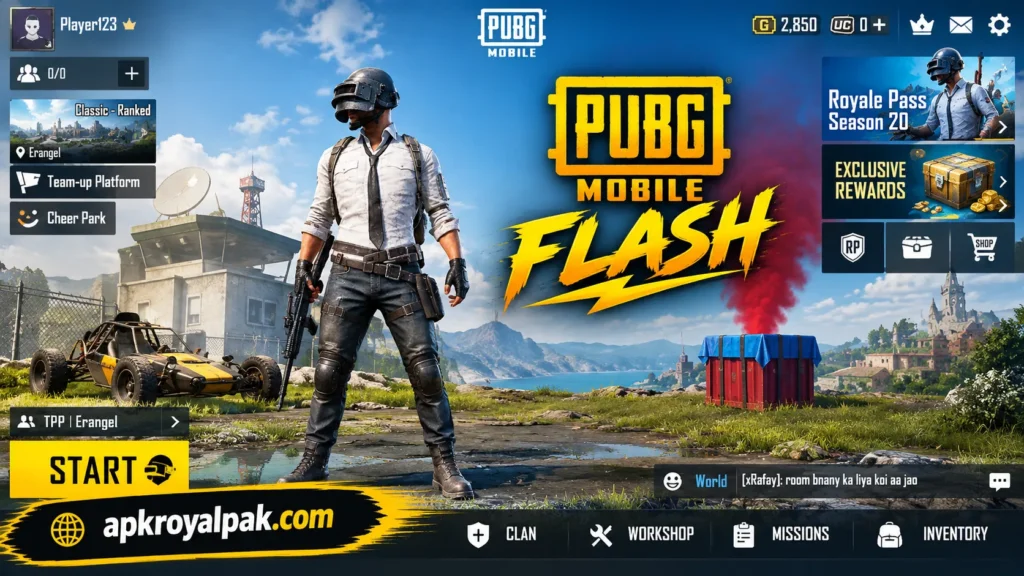
This new approach makes Application especially interesting for Android and iOS users who care about storage space, flexible downloads, and access to the familiar PUBG MOBILE ecosystem.
What Is PUBG MOBILE FLASH?
It is a lighter PUBG MOBILE client designed to make the game easier to install and manage on compatible mobile devices.
The main idea is simple. Players do not need to download every available resource at the beginning. The initial package provides the essential experience, while additional maps and modes can be added later.
The official Google Play listing previously appeared under the name PUBG MOBILE LIGHT and described the product as the original PUBG MOBILE experience with a lighter download.
If you like action packed open world games try GTA Vice City Game.
PUBG MOBILE FLASH Release Date
The official PUBG MOBILE website currently states that new application will launch in November 2026. The official pre-registration page is already available.
However, players should distinguish between a launch month and an exact confirmed release date. Store listings can display different information during the pre-release period, and an expected storefront date should not automatically be treated as a permanent global launch time.
Pre-registration is useful because it allows players to register through an official distribution platform before release. According to the official PUBG MOBILE page, pre-registration rewards will be delivered when the game officially launches, although reward availability and value can vary by region.
Quick Release Information
| Detail | Info |
|---|---|
| Current Name | PUBG MOBILE FLASH |
| Previous Name | PUBG MOBILE LIGHT |
| Launch | November 2026 |
| Platforms | Android and iOS |
| Genre | Battle Royale |
| Publisher | APKROYALPAK |
| Android Package | com.tencent.igfit |
| Initial Map | Erangel |
| Distribution | Official app stores |
| Business Model | Free-to-play with optional purchases |
Why PUBG MOBILE FLASH Is Different
The most interesting part of FLASH is not a completely new battle royal formula. Its key difference is how the game handles content and installation.
Traditional large mobile games can occupy substantial storage after maps, textures, audio, modes, updates, and other resources are installed.
FLASH takes a different approach.
Players can begin with the core content and then download additional resources according to their preferences. The official store description says Erangel comes pre-installed and that additional maps and modes can be downloaded when players want them.
That creates a more flexible installation experience.
For example, a player who mainly wants Erangel does not necessarily need to immediately download every other available resource. Likewise, someone with limited storage can manage the installation more carefully.
Main Key Features
1. Smaller Initial Download
The biggest attraction is the lighter starting installation.
Instead of treating the entire game library as one large package, FLASH is designed around a more flexible content system.
This can be useful for users who have limited internal storage or do not want a huge game installation taking space away from photos, videos, and other applications.
2. Erangel Available From the Start
Erangel is part of the initial experience.
That means players can enter the familiar PUBG-style battlefield without waiting for every additional map package to download.
The official Google Play description specifically states that Erangel comes pre-installed.
3. Optional Map Downloads
Another useful feature is selective downloading.
Players can add other maps and modes when they actually need them. This gives users more control over storage rather than forcing every resource into the initial installation.
4. Familiar PUBG MOBILE Experience
FLASH is designed around the established PUBG MOBILE experience.
Players can expect the familiar battle royale structure: landing, searching for equipment, managing supplies, positioning around the playable zone, engaging opponents, and attempting to survive until the end.
5. Mobile-Friendly Approach
The lighter installation concept is particularly relevant to mobile users.
Phones vary greatly in storage capacity and hardware. A flexible client can provide users with more control over what occupies their device.
6. Android and iOS Support
Currently the game is being prepared for both Android and iOS.
The official PUBG MOBILE pre-registration page provides options for both app stores.
PUBG MOBILE FLASH Gameplay
The core gameplay follows the battle royal format that PUBG MOBILE players already understand.
A match begins with players entering the battlefield. After landing, they search buildings and surrounding areas for weapons, ammunition, armor, healing supplies, and other useful equipment.
Positioning becomes increasingly important as the playable zone changes.
Players must decide whether to engage enemies, rotate toward a safer position, collect better equipment, or avoid unnecessary fights.
This creates a balance between aggressive and defensive play.
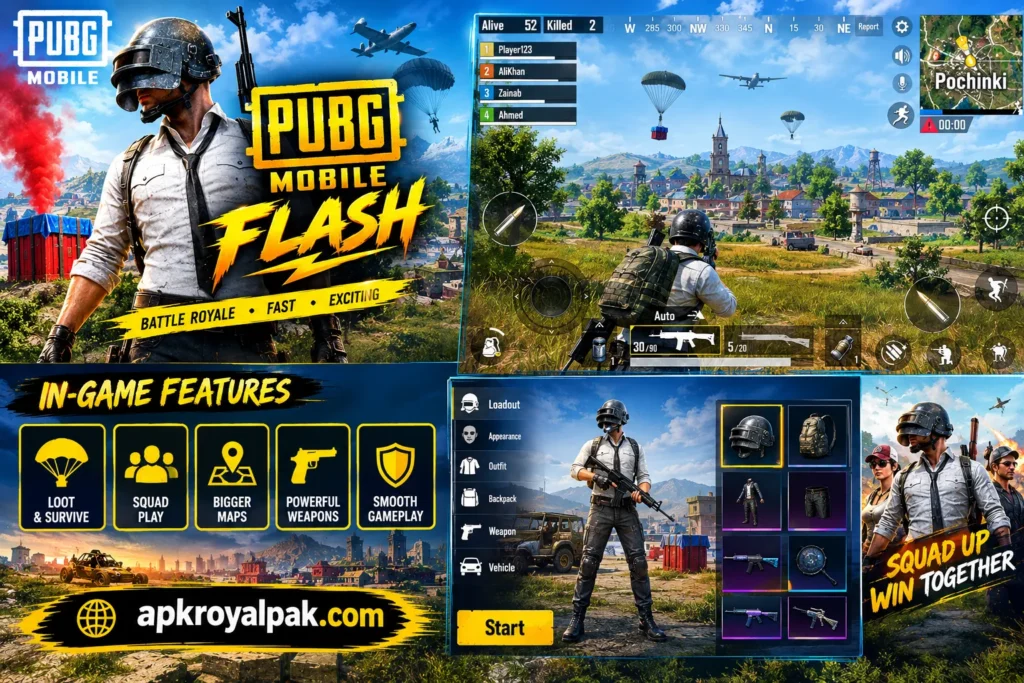
A strong player does not simply chase every opponent. Timing, positioning, awareness, equipment management, and communication can all influence the outcome of a match.
Solo and Team-Based Play
Depending on the final available modes, players can enjoy different styles of battle royale gameplay.
Solo matches place the focus entirely on individual decisions.
Team matches introduce another layer because players can communicate, share resources, revive teammates, and coordinate movement.
For squad players, communication can be just as important as aim.
PUBG MOBILE FLASH Graphics and Performance
A smaller initial download should not be interpreted as a guarantee that every device will deliver identical performance.
Gaming performance depends on several factors, including:
- Processor performance
- Graphics hardware
- RAM
- Storage speed
- Operating-system version
- Device temperature
- Background applications
- Network quality
- Game optimization
Players with entry-level phones may benefit from conservative graphics settings.
Higher graphical settings can make a game look better, but they can also increase heat and battery consumption.
A balanced configuration can therefore be more practical for long gaming sessions.
PUBG MOBILE FLASH Storage Management
Storage management is one of the strongest reasons to pay attention to FLASH.
The official product description emphasizes a lighter starting download and the ability to download additional content when required.
This does not mean that the complete game will always remain tiny.
Once players install additional maps, modes, updates, textures, audio, and other resources, the total storage footprint can increase.
Therefore, users should leave free space on their phones even after installing the initial version.
A useful strategy is to download only the resources you regularly use and remove unnecessary content when the game provides that option.
PUBG MOBILE FLASH Download: Official Method
Players should prioritize official distribution channels rather than random APK websites.
The official PUBG MOBILE website provides pre-registration links for the App Store and Google Play.
Android Download Steps
- Open Google Play Store.
- Search for PUBG MOBILE FLASH or the current store listing.
- Check the publisher information.
- Verify the package information where available.
- Review the app details.
- Tap Pre-register if the game has not launched yet.
- When officially released, use the store’s Install option.
- Open the game after installation.
- Complete the required resources.
- Download additional maps or modes according to your needs.
The Google Play listing associated with the product identifies Level Infinite.
iPhone and iPad Installation
For iOS users, the correct method is to use the Apple App Store.
Do not download an Android APK on an iPhone.
Is PUBG MOBILE FLASH APK Available?
Searches for PUBG MOBILE FLASH APK may return many third-party pages, but users should be careful.
A pre-release game is particularly vulnerable to fake download pages.
Some websites may use phrases such as:
- MOD APK
- Unlimited UC APK
- Free UC APK
- VIP APK
- No-Recoil APK
- Unlimited Money APK
- Full Unlocked APK
These claims should not automatically be trusted.
The safest route is to obtain the game through an official app store when it becomes available.
An APK file downloaded from an unknown source can be modified, repackaged, or bundled with unwanted software.
PUBG MOBILE FLASH vs PUBG MOBILE
FLASH and the standard PUBG MOBILE experience are connected through the same broader ecosystem, but their installation approach differs.
| Feature | PUBG MOBILE FLASH | Traditional PUBG MOBILE |
|---|---|---|
| Main Focus | Lighter starting installation | Full mobile client |
| Starting Content | Essential resources | Larger resource package |
| Storage Approach | Selective downloads | Broader installation |
| Erangel | Included | Available |
| Additional Content | Download when needed | Available through game resources |
| Platforms | Android and iOS | Android and iOS |
| Gameplay Style | PUBG MOBILE battle royale | PUBG MOBILE battle royale |
The most important difference is therefore the content-delivery model, not the basic battle royal concept.
PUBG MOBILE FLASH vs Old PUBG MOBILE LITE
The similar names can create confusion.
PUBG MOBILE FLASH should not simply be treated as the old PUBG MOBILE LITE product with a new name.
The current project was initially presented as PUBG MOBILE LIGHT and is now being promoted as FLASH. The Google Play listing describes it as the original PUBG MOBILE experience with a lighter download.
That distinction matters because users searching for the older PUBG MOBILE LITE may find outdated pages, discontinued information, or unrelated APK files.
Always check the publisher and package details instead of relying only on the game icon or title.
PUBG MOBILE FLASH Account and Login
Players should use the official login methods provided inside the game.
If the final version supports the same PUBG MOBILE account ecosystem as announced for the lighter client, existing players may be able to use their established credentials and ecosystem features.
However, account functionality can depend on the final regional version.
Never share your password, verification code, recovery information, or payment details with an unknown person claiming to provide PUBG MOBILE support.
Official support channels should be used for account-related problems.
PUBG MOBILE FLASH Pre-Registration
Pre-registration is already promoted through the official PUBG MOBILE website.
The official page states that players who pre-register can receive rewards when the game launches, with the exact value potentially varying by region.
The process is straightforward:
- Visit the official PUBG MOBILE pre-registration page.
- Select your platform.
- Open the appropriate app-store listing.
- Confirm that the listing is genuine.
- Complete the pre-registration process.
- Wait for the official launch.
- Install the game through the store when it becomes available.
Pre-registration should not be confused with downloading an unofficial early APK.
Internet Requirements
Although FLASH focuses on reducing the starting download, it remains an online multiplayer game.
A stable internet connection is important for:
- Account authentication
- Matchmaking
- Multiplayer gameplay
- Resource downloads
- Updates
- Events
- Server communication
Wi-Fi is generally more practical for large resource downloads because additional maps and updates can consume significant data.
Players using mobile data should monitor their data allowance.
Security Guide for PUBG MOBILE FLASH
Security should be part of every APK or mobile-game download decision.
Before installing anything, check:
Publisher: Make sure the developer or publisher matches the official listing.
Package name: On Android, verify the expected package where applicable.
Source: Prefer Google Play or the official App Store.
Permissions: Review what the application requests.
Updates: Install updates through trusted distribution channels.
Account safety: Never give login codes to third parties.
Modified files: Avoid unofficial versions claiming unlimited currency or special privileges.
The official PUBG MOBILE website provides the appropriate route for pre-registration and platform selection.
Common PUBG MOBILE FLASH Problems
Game Does Not Install
Check available storage first.
Then verify that your operating system and device meet the current requirements shown by the store.
Download Gets Stuck
Try switching to a stable Wi-Fi connection.
Restart the download and make sure enough storage remains available.
Game Crashes
Close unnecessary background applications.
Restart the phone and check for available game or system updates.
If the problem continues, reduce graphics settings when possible.
High Ping
High latency can be caused by weak Wi-Fi, mobile-network congestion, distance from servers, or background network activity.
Using a stable connection can improve consistency.
Phone Gets Hot
Reduce graphics settings, close unnecessary applications, avoid charging during demanding sessions when practical, and take breaks during long matches.
Who Should Consider PUBG MOBILE FLASH?
FLASH may attract several types of players.
Players With Limited Storage
The flexible content model can help users who do not want a massive initial installation.
Existing PUBG MOBILE Players
People already familiar with the PUBG MOBILE mechanics may find the transition straightforward.
Casual Players
Players who only occasionally play battle royale games may prefer installing essential content rather than maintaining every available resource.
Users With Selective Content Needs
Someone who mainly plays one map or mode can potentially avoid downloading resources they rarely use.
Advantages and Limitations
Advantages
- Smaller starting installation concept
- Flexible content management
- Erangel included initially
- Familiar PUBG MOBILE gameplay
- Android and iOS support
- Official pre-registration available
- Useful approach for storage-conscious players
Limitations
- Additional content can increase storage use
- Performance varies between devices
- Internet access is required for online gameplay
- Regional availability can differ
- Final specifications may change before launch
- Third-party APK downloads can create security risks
Best Settings for a Smoother Experience
There is no universal graphics configuration for every phone.
Instead, start with moderate settings and test gameplay.
If matches remain smooth, gradually increase visual quality.
If you notice frame drops, overheating, or rapid battery drain, reduce graphical intensity.
Also keep sufficient free storage because nearly full storage can make general device management more difficult.
Before a major update, remove unused files and applications if necessary.
What Makes PUBG MOBILE FLASH Interesting in 2026?
The mobile gaming market contains many large applications competing for limited phone storage.
FLASH approaches that problem from a different direction.
Instead of asking every player to install everything immediately, it puts greater emphasis on a manageable starting package and optional expansion.
That concept can be valuable as mobile games continue to become more detailed.
The official PUBG MOBILE material confirms the lightweight direction, while the current FLASH pre-registration page confirms the November launch window.
The real test will come after launch, when players can evaluate actual performance, download behavior, server stability, device compatibility, and the complete content system.
Final Thoughts
PUBG MOBILE FLASH represents a different way of accessing the PUBG MOBILE experience.
Its main selling point is not that it replaces the familiar battle royale formula. Instead, it focuses on making the initial installation more manageable.
The combination of a lighter starting package, pre-installed Erangel, optional additional content, and mobile-focused distribution gives players greater control over how much content occupies their devices.
The project was previously known as PUBG MOBILE LIGHT, so users may encounter both names while searching for information. The official PUBG MOBILE website now promotes FLASH and confirms its November 2026 launch window.
As launch approaches, players should pay particular attention to the final device requirements, regional availability, installation size, supported accounts, and official store listing.
Frequently Asked Questions
Yes. Official pre-registration is available through the PUBG MOBILE website and supported app-store channels.
The game is being distributed as a free-to-play mobile title, with optional in-game purchases indicated in the store information.
Yes. The Google Play description for the lighter client states that Erangle comes pre-installed.
The official store description says additional maps and modes can be downloaded when required.
No. The current product is a newer lightweight PUBG MOBILE client and should not automatically be confused with the older PUBG MOBILE LITE product.
Its design allows players to begin with essential content and download additional maps or modes later, giving them more control over storage use.